MATLAB fills the empty region of rotated images with solid black (i.e. zero padding). This is rather problematic for various computer vision algorithms (e.g. fusion, registration, similarity). Unfortunately, this is not a parameter in the imrotate command. The following addresses this issue.
img = imread('cameraman.tif');
rotated = imrotate(img, 45, 'bicubic');
crop_upper = max(find(diag(rotated) ~= 0));
crop_lower = min(find(diag(rotated) ~= 0));
crop_diff = crop_upper-crop_lower;
rotated2 = imcrop(rotated, [crop_lower, crop_lower, crop_diff, crop_diff]);

% visualize
subplot(1,3,1)
imshow(img)
subplot(1,3,2)
imshow(rotated)
subplot(1,3,3)
imshow(rotated2)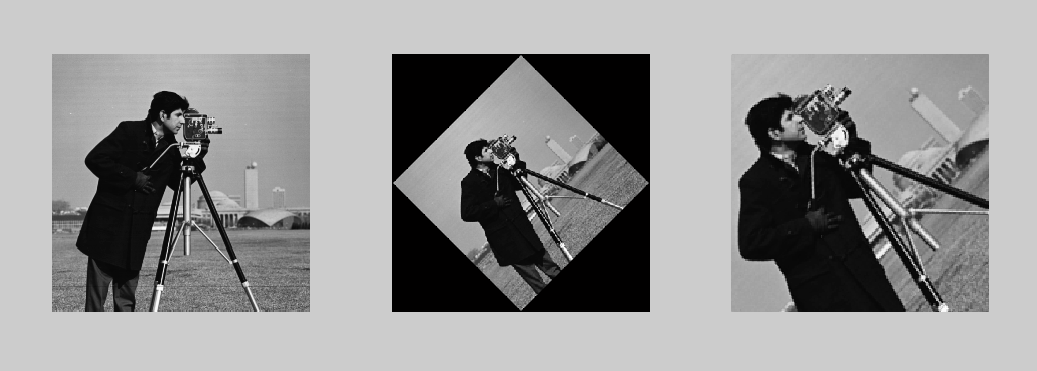
This is similar to roirotate, but without explicitly declaring a region of interest or dealing the possibility of any zero-padding (black bar).